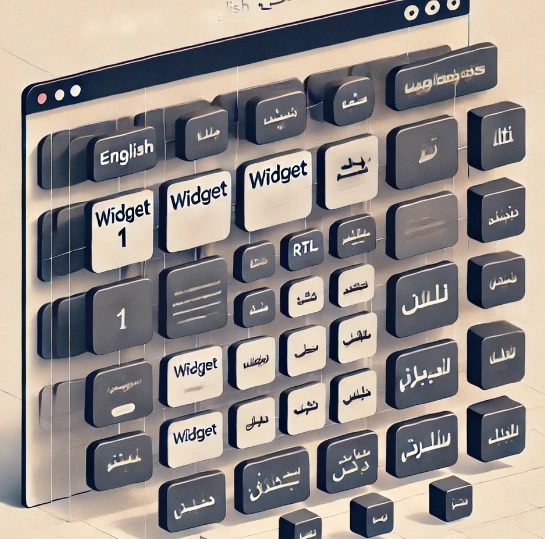
In modern web development, creating applications that support both Left-to-Right (LTR) and Right-to-Left (RTL) languages is crucial for global accessibility. However, not all libraries provide seamless RTL support out of the box. We set out to create a highly dynamic dashboard with various draggable and resizable widgets, using the popular React-Grid-Layout library. This library allows us to arrange components within a responsive grid, where users can freely drag, resize, and rearrange widgets as they wish. React-Grid-Layout lacks built-in RTL support, which presents challenges for projects that need to accommodate RTL languages, such as Arabic or Hebrew. This blog post delves into the challenges I faced when working with the react-grid-layout library especially in RTL contexts and explores practical solutions to overcome them.
Introduction to the Project
We implemented theme switching to toggle direction switching to toggle between LTR and RTL layouts. While MUI provides straightforward RTL support for components, React-Grid-Layout’s lack of native RTL compatibility became an issue, particularly as users switched between LTR and RTL. The key technologies and libraries used in our project include:
- React: For building the user interface.
- Material-UI (MUI): For pre-built components and styling.
- React-Grid-Layout: For creating a draggable and resizable grid layout.
- Redux: For state management.
- Lodash: For utility functions like throttling and debouncing.
The RTL Issue with React-Grid-Layout
While react-grid-layout is a powerful library for creating responsive grid layouts with drag-and-drop capabilities, it lacks built-in support for RTL layouts. React-Grid-Layout uses absolute positioning and CSS transforms to position elements within the grid. For an LTR layout, these positions are calculated from the top-left corner of the grid, with elements positioned using positive translate values for X and Y coordinates. However, for RTL, the library does not invert the X-axis positions to start from the top-right, causing widgets to overflow out of view when switched to RTL mode especially on larger screens. This issue stems from the library's internal calculations, which assume an LTR context.
Community Discussions and Attempts
Many developers have faced similar challenges. On GitHub, issues like Issue #682 and Pull Request #875 highlight attempts to introduce RTL support. Some have proposed modifying the library's core code, while others suggest workarounds using CSS transformations.
Our attempt involved solving this issue without modifying the core code since our project needed to be sustainable.
Example from the Community
One user shared a solution that involved reversing the order of grid items based on the locale:
const getLayout = (locale) => {
  let layout = [];
  if (locale !== 'ar') {
    // Standard LTR layout generation
  } else {
    // Reverse the grid items for RTL
  }
  return layout;
};
However, modifying the grid generation logic can be complex and doesn't address dynamic changes in direction and some solution even required using the i8n library.
Initial Observations and Attempts
Upon inspecting the DOM, I observed that each grid item has a transform: translate(x, y) style applied. While in RTL mode, the x value causes the widgets to overflow to the right. I observed via trial and error that by simply adding a negative sign to the x value, the widgets align correctly:
/* Before: While in RTL direction*/
transform: translate(300px, 20px);

/* After adding negative sign in RTL  */
transform: translate(-300px, 20px);
Implementing a Temporary Solution with useEffect
An initial attempt involved using a useEffect hook to programmatically adjust the transform styles of all the widgets by targeting the class whenever the direction changed:
const isRTL = theme.direction === 'rtl'

useEffect(() => {
  const adjustTransforms = () => {
    const gridItems = document.querySelectorAll('.react-grid-item');
    gridItems.forEach((item) => {
      const transform = item.style.transform;
      if (transform) {
        const [x, y] = transform.match(/-?\d+/g).map(Number);
        const adjustedX = isRTL ? -x : x;
        item.style.transform = `translate(${adjustedX}px, ${y}px)`;
      }
    });
  };

  adjustTransforms();
}, [isRTL]);
While this solution aligned widgets correctly in RTL mode initially, it had several limitations:
- Temporary Adjustment: Each time the layout changed or the user toggled direction, the transform values would revert, causing widgets to jump back to their original positions.
- Non-Persistent Behavior: The
useEffectonly provided a temporary fix, and the layout would revert if users attempted to resize or drag elements.
Challenges with Dragging in RTL
Even with the temporary fix in place, a bigger issue surfaced when trying to drag widgets in RTL mode. Modifying X-axis positions programmatically while dragging caused runtime errors:
TypeError: Cannot assign to read-only property 'x' of object '#<Object>'
This error stemmed from attempting to modify immutable properties within the library's internal layout structure. React-Grid-Layout relies on specific drag-and-drop logic to calculate and update X and Y positions, and our solution of adding a negative X value clashed with the library’s internal handling.
Exploring Advanced Solutions
To address the flickering and performance issues caused by the continuous adjustments, a MutationObserver was introduced to monitor changes and re-apply the transformations:
useEffect(() => {
  let isAdjusting = false;

  const adjustTransforms = throttle(() => {
    if (isAdjusting) return;
    isAdjusting = true;
    // Adjust transforms
    isAdjusting = false;
  }, 100);

  const observer = new MutationObserver(() => {
    if (!isAdjusting) {
      adjustTransforms();
    }import { throttle } from 'lodash';

useEffect(() => {
    const adjustWidgetTransforms = throttle(() => {
        const gridItems = document.querySelectorAll('.react-grid-item');
        gridItems.forEach((item) => {
            const transform = item.style.transform;
            if (transform && transform.startsWith('translate')) {
                const values = transform.match(/translate\(([^)]+)\)/)[1].split(', ');
                const x = parseFloat(values[0]);
                const y = parseFloat(values[1]);

                const adjustedX = isRTL ? -x : x;
                item.style.transform = `translate(${adjustedX}px, ${y}px)`;
            }
        });
    }, 100);

    const observer = new MutationObserver(adjustWidgetTransforms);
    observer.observe(document.querySelector('.react-grid-layout'), { attributes: true, subtree: true });

    return () => {
        observer.disconnect();
        adjustWidgetTransforms.cancel();
    };
}, [isRTL]);
  });

  const config = { attributes: true, attributeFilter: ['style'], subtree: true };
  const gridItems = document.querySelectorAll('.react-grid-item');
  gridItems.forEach((item) => observer.observe(item, config));

  return () => observer.disconnect();
}, [isRTL]);
While this approach improved the fix slightly, it still faced limitations:
- Performance Overhead: MutationObserver added a significant performance overhead by constantly monitoring layout changes, leading to lag and, in some cases, browser crashes.
- Inconsistent Behavior: Even with throttling, the widgets’ positions would still flicker between LTR and RTL positions, resulting in an unstable user experience.
The Final Approach: Keeping the Grid LTR
Given the challenges with manipulating the grid's direction and the internal complexities of the library, and after several unsuccessful attempts, we decided on an alternative approach. A more sustainable solution was adopted: Keep the react-grid-layout container in LTR mode and adjust only the inner contents of the widgets to be RTL.
Why This Approach Works
Since users primarily interact with the inner content of widgets (e.g., text, icons), applying RTL styling to these contents achieves the desired look. Meanwhile, React-Grid-Layout remains in LTR, ensuring that positioning, dragging, and resizing behaviors are not disrupted. The Dashboard Layout and other wrap around components can have their directions switched and the internal components of the React Grid Layout can also have their internal components switched while leaving Just the ReactGridLayout alone to function as is.
In practice, this approach is effective because users can still rearrange widgets freely without worrying about grid alignment. The internal contents align properly, and the grid layout remains stable.
- Simplicity: By not altering the grid's core behavior, we avoid conflicts with drag-and-drop functionality.
- Consistency: Widgets remain draggable and resizable as intended.
- Flexibility: Inner widget contents can be easily adjusted to match the desired text direction.
Implementing the Solution
Forcing LTR on the Grid Layout
Wrap the ResponsiveGridLayout component and set its direction to LTR:
<div style={{ direction: 'ltr' }}>
  <ResponsiveGridLayout {...gridProps} style={{ direction: 'ltr'}} >
    {/* Grid items */}
  </ResponsiveGridLayout>
</div>
Adjusting Widget Contents
For each widget, wrap its contents with a container that conditionally applies RTL styling based on the application's direction:
const Widget = ({ isRTL, children }) => (
  <div style={{ direction: isRTL ? 'rtl' : 'ltr' }}>
    {children}
  </div>
);
Use the Widget component in the grid items:
<ResponsiveGridLayout {...gridProps} style={{ direction: 'ltr'}}>
  <div key="widget1">
    <Widget isRTL={isRTL}>
      {/* Widget 1 contents */}
    </Widget>
  </div>
  <div key="widget2">
    <Widget isRTL={isRTL}>
      {/* Widget 2 contents */}
    </Widget>
  </div>
  {/* Additional widgets */}
</ResponsiveGridLayout>
Example of a Widget Component
Here's an example of a simple widget that adjusts its content direction:
const TextWidget = ({ isRTL, text }) => (
  <div style={{ direction: isRTL ? 'rtl' : 'ltr', padding: '10px' }}>
    <p>{text}</p>
  </div>
);
Use it within the grid:
<div key="textWidget">
  <TextWidget isRTL={isRTL} text="Hello, World!" />
</div>
Benefits of This Solution
- Drag Functionality Preserved: Since the grid remains in LTR, dragging and resizing work without additional adjustments.
- Content Alignment: Widget contents correctly align according to the text direction.
- Scalability: New widgets can be added without modifying the grid logic.
Conclusion
Implementing RTL support in libraries that don't natively support it can be challenging. While initial attempts at manipulating the grid's transformations provided temporary fixes, they introduced new issues with interactivity and performance. By keeping the grid layout in LTR and adjusting only the inner components, we achieve a balance between functionality and user experience.
In this project, the lack of RTL support in React-Grid-Layout led us through several iterative solutions, from adding negative signs to transform values, to using useEffect, MutationObserver, and throttling. Ultimately, forcing React-Grid-Layout to stay in LTR mode while applying RTL styling only to widget contents provided a stable, user-friendly solution.
This approach is a robust and scalable solution for projects that require RTL support in React-Grid-Layout. It allows developers to meet the visual requirements of RTL languages while maintaining the library’s inherent layout and drag functionality. This approach ensures that users can interact with the dashboard as intended, regardless of the text direction, and sets a foundation for supporting RTL languages in a scalable and maintainable way.
References
- React-Grid-Layout GitHub Issue #682
- React-Grid-Layout Pull Request #875
- React-Grid-Layout RTL Support Discussions
- GitHub Issue #141
- React Grid Layout Library - NPM
Github Issue #453
Github Issue #96